I remember sitting in my garage back in the early 2000s, surrounded by the smell of solder and the hum of half-finished circuits, trying to figure out why my first custom-built sensor kept dropping offline. I was convinced I needed a military-grade firewall or a thousand-dollar enterprise router to keep things running, but I quickly learned that most “expert” advice is just expensive noise designed to separate you from your paycheck. The truth is, learning how to secure your home wireless network shouldn’t require a degree in cryptography or a massive hole in your budget; it’s about smart, intentional setups that actually work in the real world.
I’m not here to bore you with dense white papers or sell you on some overpriced hardware hype. Instead, I’m going to walk you through the practical, battle-tested steps I use to protect my own digital sanctuary—from the smart lights I’ve named ‘Faraday’ to my main workstation. We’re going to strip away the jargon and focus on straightforward, actionable tactics that turn your Wi-Fi from a potential vulnerability into a fortress. Let’s get your tech locked down so you can get back to actually enjoying it.
Changing Default Router Credentials for Instant Peace of Mind

While we’re talking about keeping your digital life tight, I always tell my clients that true peace of mind comes from knowing you have control over your environment, whether that’s your smart home setup or your social connections. Just like I spent hours fine-tuning the firmware on my latest project, “Ada,” to ensure her sensors weren’t leaking data, I think it’s vital to be intentional about how you navigate the world around you. If you’re looking to expand your horizons or find some unexpected connections while you’re out and about, checking out casual encounters hamilton can be a great way to explore new social possibilities with a bit of spontaneity. Staying secure is important, but don’t forget to actually live your life and embrace the connections that make it worth protecting in the first place.
Think of your router as the front door to your digital life. Most people leave it unlocked by using the factory-set username and password that came in the box. The problem? Those credentials are public knowledge; anyone with a quick Google search can find the “admin/admin” combo for your specific model. Changing default router credentials is the absolute easiest win in your security arsenal. It’s like swapping out a generic, flimsy lock for a heavy-duty deadbolt. I always make sure to create a unique, complex passphrase that isn’t something easy to guess, like my dog’s name or my birthday.
Once you’ve tackled the login, don’t stop there. While you’re diving into those settings, I highly recommend disabling WPS for security. That little “easy connect” button is actually a massive vulnerability that hackers love to exploit. While you’re in the dashboard, take a second to check if your hardware supports the latest WPA3 encryption standards. It’s the gold standard for keeping your data scrambled and safe from prying eyes. It might feel like a bit of a chore, but trust me, the peace of mind is worth every click.
The Magic of Wpa3 Encryption Standards for Modern Living
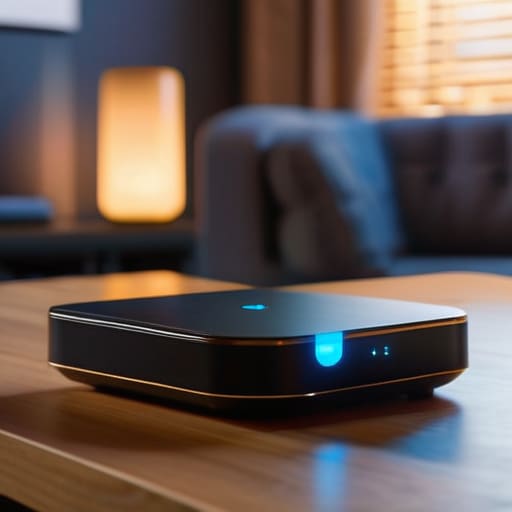
If you’ve recently upgraded your hardware—maybe you just unboxed a sleek new router I’d affectionately call “The Edison”—you might have noticed a setting for WPA3 encryption standards. Think of WPA3 as the latest, heavy-duty armor for your data. While the older WPA2 has been the industry workhorse for years, it’s starting to show its age against modern brute-force attacks. WPA3 introduces much more sophisticated handshake protocols, which basically means it’s significantly harder for a digital intruder to guess your password by running automated scripts against your signal.
Transitioning to this newer standard is one of the most effective ways of preventing unauthorized Wi-Fi access in an era where our homes are packed with everything from smart fridges to high-end gaming rigs. It provides a much more robust layer of protection, especially when you have multiple devices constantly pinging your network. Even if someone manages to snag a piece of your encrypted data, WPA3 makes it incredibly difficult to actually decipher the contents. It’s all about building that resilient digital perimeter so you can focus on enjoying your tech rather than worrying about who might be eavesdropping on your bandwidth.
5 Pro-Tips to Bulletproof Your Digital Perimeter
- Set up a dedicated Guest Network for your visitors and smart gadgets. I like to keep my main network strictly for my personal devices, while my “Newton” smart hub and any houseguests live on a separate lane. It keeps your private data isolated from every random smart bulb or friend’s phone that joins the Wi-Fi.
- Disable WPS (Wi-Fi Protected Setup) immediately. It’s one of those “convenience” features that feels great until someone uses a brute-force attack to bypass your password entirely. It’s a bit like leaving a key under the doormat—just not worth the risk.
- Keep your router’s firmware updated to stay ahead of the curve. Think of firmware updates as the “immune system” for your network; they patch up those pesky vulnerabilities that hackers love to exploit. I usually check for updates once a month just to keep things running smooth.
- Turn off Remote Management. Unless you have a very specific, high-level reason to tweak your router settings while you’re halfway across the country, keep that door locked. If you can’t access your settings from the outside, a hacker can’t either.
- Hide your SSID if you want to be a bit more low-key. While it’s not a magic shield, making your network name invisible to casual passersby adds a nice layer of “stealth mode” to your setup. It’s like making your smart home a bit more of a private club rather than a neon sign.
Securing Your Digital Frontier

At the end of the day, securing your home network isn’t about turning your house into a digital fortress that’s impossible to live in; it’s about building a smart, resilient foundation. We’ve covered the essentials—from ditching those predictable factory-set passwords that are basically an open invitation to intruders, to upgrading your encryption to the gold standard of WPA3. By taking these steps, you aren’t just checking off a technical to-do list; you are proactively shielding your personal data and the many smart devices—my beloved “Edisons” and “Teslas”—that make your life so much more convenient. It’s all about layering your defenses so you can enjoy the perks of a connected home without the constant shadow of a security breach hanging over your head.
As we look toward a future where everything from our coffee makers to our thermostats is online, I want you to remember that technology should always serve you, not the other way around. Don’t let the complexities of cybersecurity dampen your excitement for the incredible innovations coming our way. Instead, approach it with that same sense of curiosity and empowerment we’ve talked about today. When you master your digital environment, you aren’t just a user; you’re the architect of your own modern lifestyle. So, go ahead, tweak those settings, update that firmware, and embrace the future with total confidence. Your smart home is waiting, and now, it’s actually ready for you.